
Turn Everyday Work into Trackable, Reliable Processes with the Service Manager
💡A practical guide to using BOS Enterprise Service Manager to manage tickets, projects, assets and improvement ideas with confidence.
The Service Manager in BOS Enterprise helps your team record, track and close Service Tickets in one central place. Instead of relying on memory, messages, spreadsheets or informal follow-ups, you can create tickets, add responses, link transactions, set reminders and keep everyone aligned on what has happened and what needs to happen next.
But the Service Manager is not limited to support queries. It can also be used to manage projects, assets, such as machines or vehicles, and any other process.
From Tickets to Full Process Control
One of the most powerful ways to use the Service Manager is to create a class for every repeatable process in your business. Such processes could include tracking sales leads, resolving customer queries, managing installations, handling account queries, reviewing production suggestions or coordinating internal projects.
When your processes are documented inside the Service Manager, everyone can see what must happen next, who is responsible and how far along the work is. When a customer or supplier phones for an update, your team no longer needs to say, “Let me ask someone and get back to you.” They can open the Service Manager and see the current status immediately.
Build a Roadmap for Every Repeatable Task
If your team handles frequent account queries, support requests or operational checks, the Service Manager can help you replace inconsistent handling with fixed, repeatable steps. Instead of simply logging a ticket and hoping the correct checks are done, you can guide the team through the process from start to finish.
Option 1: Number the responses so nothing is skipped
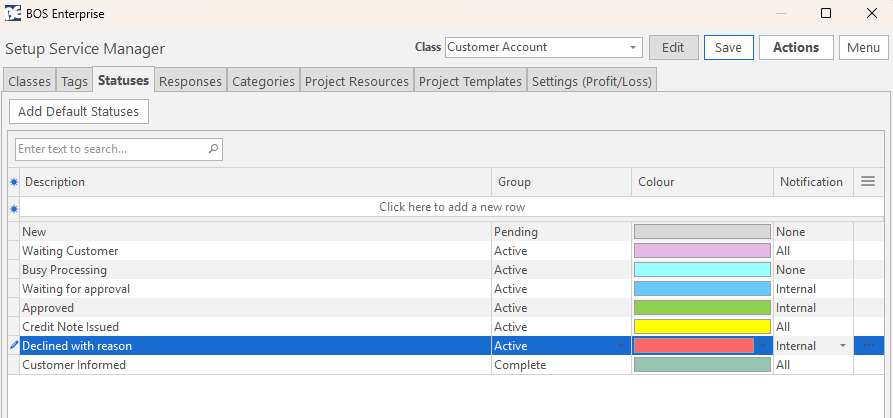
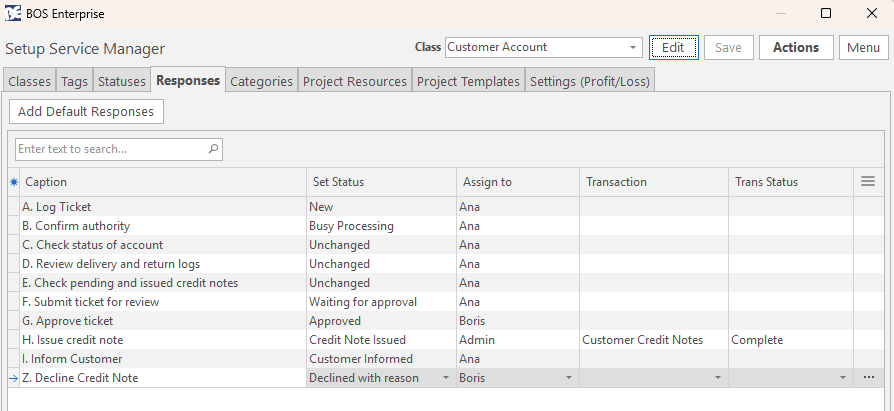
A simple way to control a process is to create numbered responses that guide staff through the required checks. For example, an account query could include all these steps: open the ticket, confirm the caller or email sender has authority, check the status of the account, review delivery and return logs, confirm that a credit note has not yet been issued, submit the query for review, authorise the credit note, issue the credit note and contact the customer.
Using statuses and numbering these steps, you can guide staff to add responses in sequence which prevents them from jumping straight to a quick fix, such as issuing a credit note without investigating the issue.
Option 2: Use a project template for stronger control
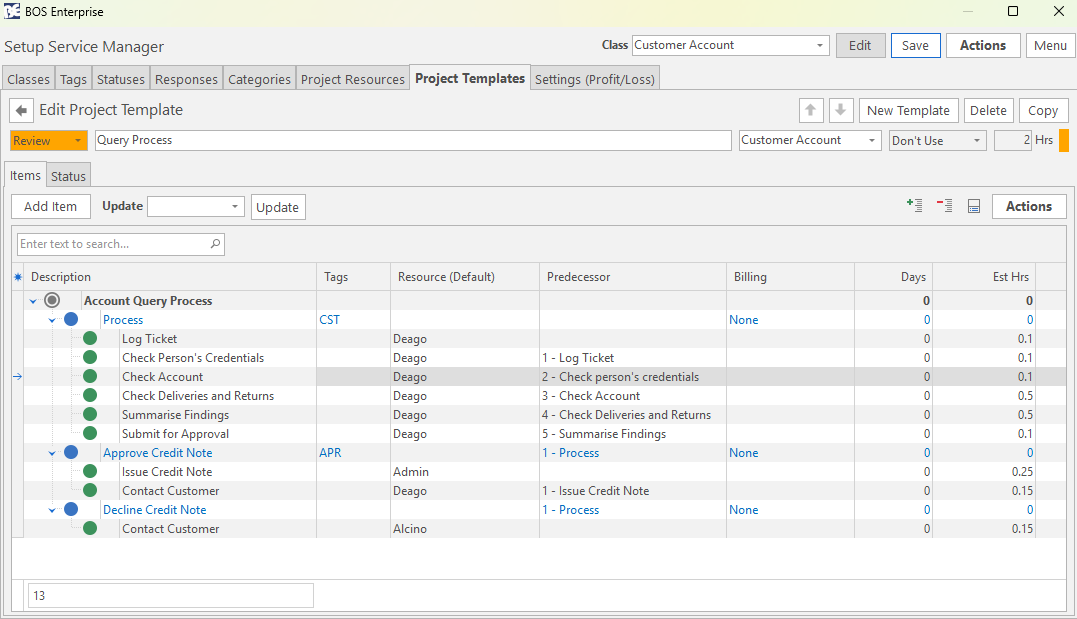
For more structured processes, you can create a Project Template. Although Project Templates are often associated with complex projects, they can be applied to almost any business process. A template lets you assign a responsible resource to each step, set dependencies and ensure that approval cannot happen until the earlier steps are completed.
In both approaches, staff can record the time they spend on each step. Recording time gives you valuable insight into efficiency, bottlenecks and whether work is being managed carefully or rushed through too quickly.
Capture Improvement Ideas from the People Doing the Work
In a manufacturing environment, the best improvement ideas often come from the people closest to the work. Staff may notice that a machine jams frequently, that materials are being cut down too often or that a small change could speed up production and reduce waste.
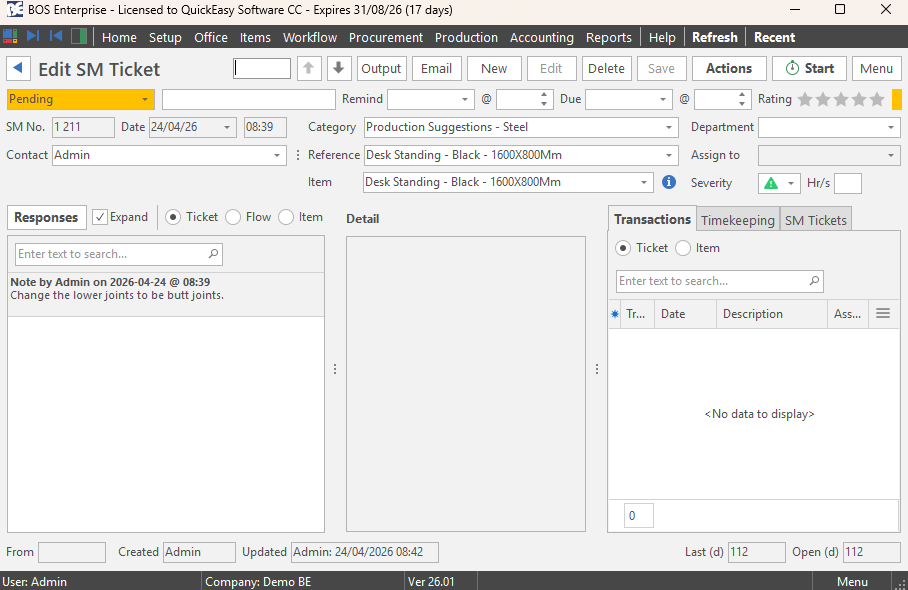
With the BOS Enterprise Tracker app, these suggestions can be captured directly from the factory floor. Once the process is set up, the suggestion is automatically converted into a service ticket and the linked item’s status is changed to review. This conversion ensures the suggestion is visible, trackable and assigned for investigation instead of being forgotten or dismissed informally.
What Could the Service Manager Standardise in Your Business?
Take a fresh look at the tasks and processes your team still manages manually, inconsistently or from person to person. If a process depends on memory, informal messages, spreadsheets or someone “just knowing what to do,” it may be time to move it into the Service Manager.
Start by identifying one task, query, approval, review or operational process that your team currently handles manually or inconsistently. Then check whether the Service Manager could turn it into a clear, trackable workflow with defined steps, responsibilities, reminders and progress visibility.
❓Need help? Our support team can help you configure BOS Enterprise to match the way your business works.